What it checks
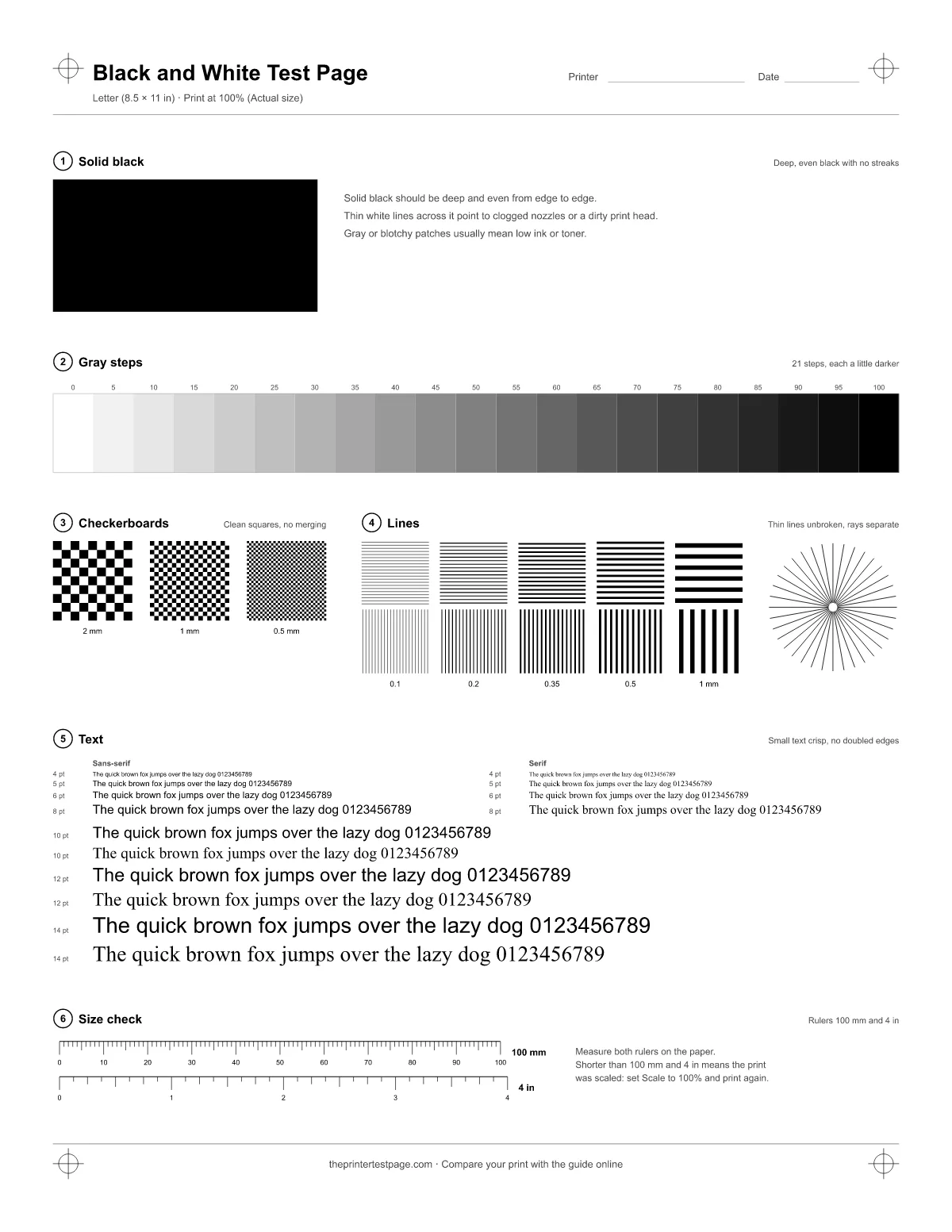
This page is drawn in black only, so it tests the black cartridge or toner on its own. It has six numbered zones; the same numbers are printed on the paper.
- Zone 1: Solid black. A 60 × 30 mm block of 100% black. It shows how dense your black is and whether light lines or blotches break it up.
- Zone 2: Gray steps. 21 steps from white to black in 5% increments. They show where your printer starts to lose detail in light grays and dark shadows.
- Zone 3: Checkerboards. Checkerboards with 2 mm, 1 mm and 0.5 mm squares. Clean squares mean sharp dots; squares that merge into gray mean ink or toner is spreading.
- Zone 4: Lines. Line grids from 0.1 to 1 mm, horizontal and vertical, plus a 36-ray star. Thin lines should stay unbroken and the rays separate until close to the center.
- Zone 5: Text. The same sentence from 4 to 14 pt in sans-serif and serif type, to check how small your printer can print readable text.
- Zone 6: Size check. A 100 mm ruler and a 4 inch ruler. If they measure short, the print was scaled.