What this test page checks
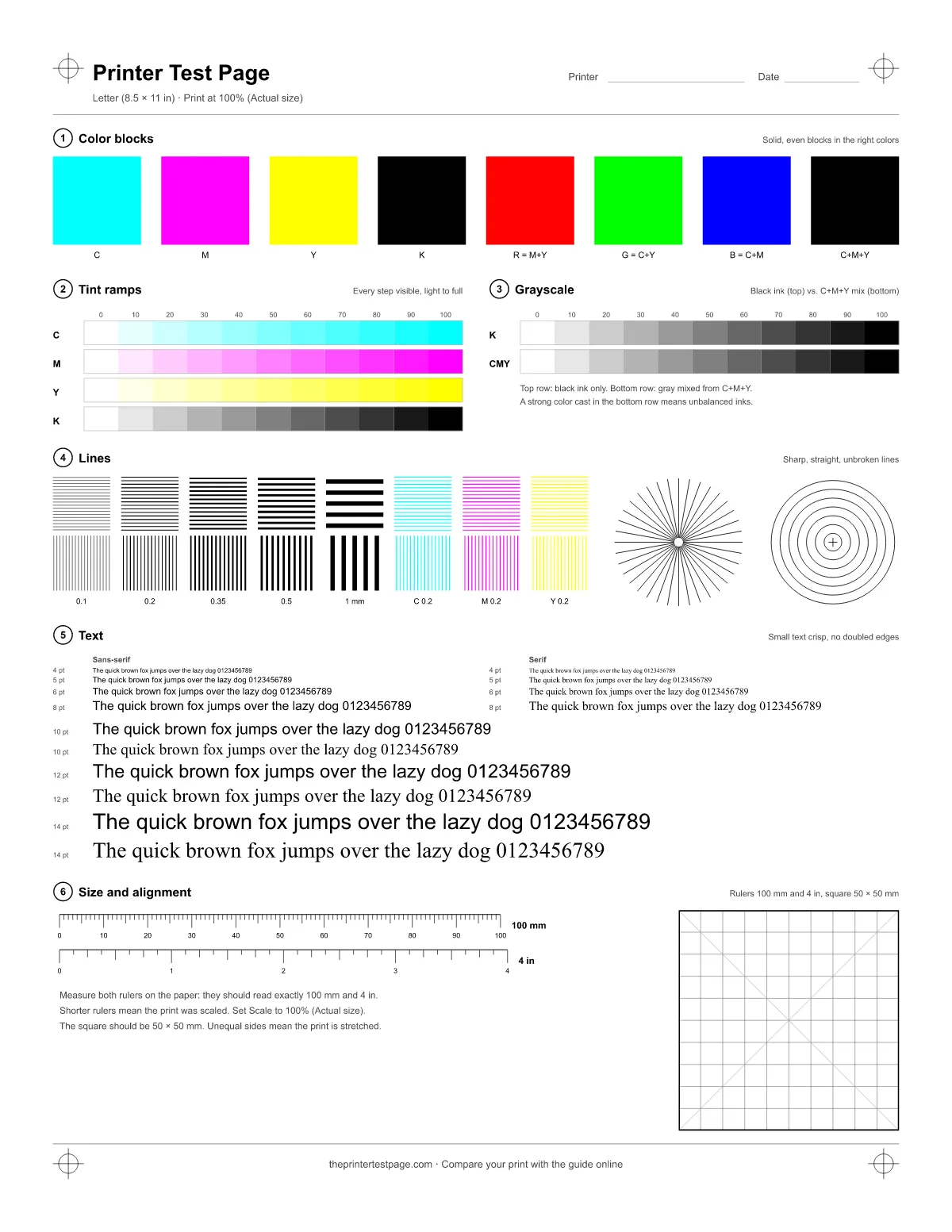
The sheet has six numbered zones. The same numbers are printed on the paper and used in the guide below, so you can match what you see to what it means. Everything is drawn as vector graphics, so lines and text print as sharp as your printer allows.
- Zone 1: Color blocks. Eight solid squares: cyan, magenta, yellow and black at 100%, then red, green and blue made from two inks each, and a black built from all three color inks. A missing or wrong square points to one ink or one cartridge.
- Zone 2: Tint ramps. Each ink in 11 steps from 0 to 100%. Weak ink makes neighboring steps look alike; clogged nozzles leave light lines through the darker steps.
- Zone 3: Grayscale. The top row is black ink only. The bottom row mixes cyan, magenta and yellow at the same strengths. Side by side, they show whether your printer keeps grays neutral.
- Zone 4: Lines. Line grids from 0.1 to 1 mm in black, plus one grid each in cyan, magenta and yellow. A 36-ray star and a set of circles reveal blur, doubling and stretching.
- Zone 5: Text. The same sentence from 4 to 14 pt, in a sans-serif and a serif font. The smallest size you can still read shows the limit of your printer at its current settings.
- Zone 6: Size and alignment. A 100 mm ruler, a 4 inch ruler and a 50 × 50 mm square with a 5 mm grid. Short rulers mean the print was scaled; a square that came out as a rectangle points to the paper feed.